Gravity Switch Mechanics: Slide, Brake, Flip
Slide physics, portal transfers, dot counting and the crystal rule explained without clutter, plus the mistakes that cost most restarts in the middle blocks.
Quick answer: Gravity Switch is a push-and-commit game. You pick one of four directions, the character slides in that direction until something solid stops it, and you cannot steer, brake or cancel. Every stage is therefore a routing problem: you are choosing the order of slides, not the path of a slide. Dots are the lock on the exit and the warp crystal is the exit itself. The stage 1 to 5 walkthrough→ shows the rule in its simplest form, and the hazards page→ covers what counts as "something solid" in detail.
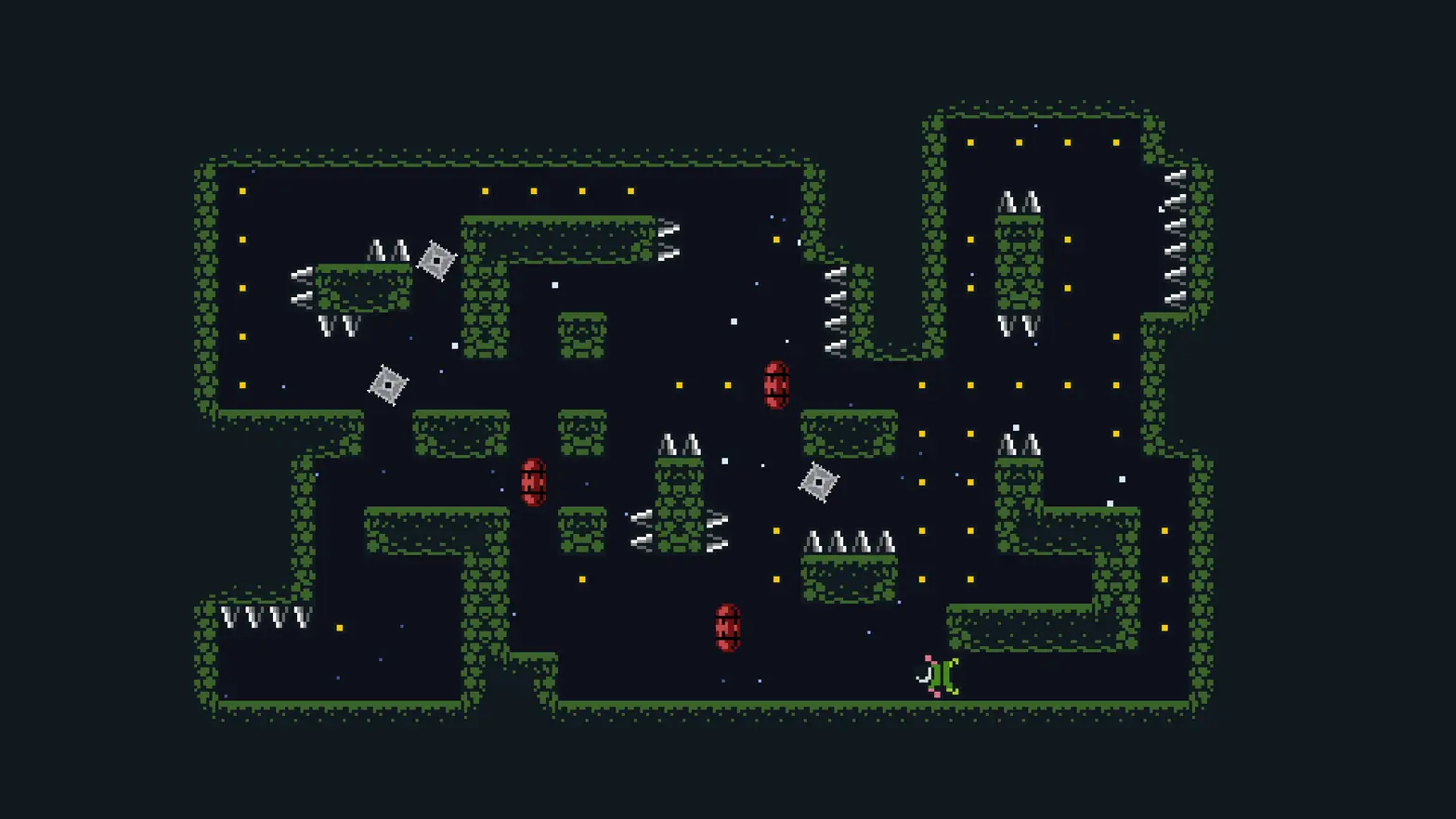
What are the rules of a slide?
Three statements from the store copy define the whole game, and everything else follows from them:
- Slide until you hit something. The store description says the character slides in the direction you push until it hits a wall. There is no partial movement and no free walking.
- Collect every dot. Dots are scattered through the room and the warp crystal will not work until they are gone.
- Reach the crystal. Once the room is empty, the crystal activates and ends the stage. It is a destination, not a button.
That is the entire ruleset. The depth comes from the fact that a slide is a commitment: a wrong push is not a wrong step, it is a wrong segment of the route.
| Input | What happens | What it costs |
|---|---|---|
| Direction push | Slide to the next solid object | One route segment |
| Wrong push | Slide ends somewhere useless or lethal | A restart |
| Restart | Instant, same stage, dots reset | One second |
| Reaching crystal with dots left | Nothing | The slide you just spent |
Why can't you stop halfway?
Because the game has no brake and no analog movement. This is the design decision that separates Gravity Switch from a top-down adventure: if you could stop, every room would be a walking puzzle, and the dots would be trivial to pick up one by one. Remove stopping and the room becomes an ordering puzzle, because the only way to land on a specific tile is to arrange for a wall or an obstacle to stop you there.
The practical consequence is that walls are tools. A wall on the far side of a dot is not an obstacle, it is the thing that lets you land next to the dot. Players who read walls as scenery spend the first ten stages fighting the controls; players who read walls as stops start solving stages in one or two attempts.
Before every input, name the object that will stop you: a wall, a spike (no), a blade (no), a portal, or the crystal. If you cannot name it, you have not planned the slide.
What does the gravity in the title mean?
Gravity Switch uses gravity as the name for the direction your character is committed to. Pushing up means the character falls upward until something catches it. Some rooms reinforce this with a blue arrow tile on the floor, which reads as a direction marker for the room's intended travel.
Inference source: the blue arrow tiles are visible in the official screenshots, but no store page describes them by name. The walkthroughs on this site treat them as hints about the room's main axis rather than as a separate mechanic, and we will correct this section if the game labels them.
What matters for solving stages is not the naming but the axis question: which of the two axes does this room want? Most rooms are built around one dominant axis with a short cross-axis segment to reach an isolated dot. Find the dominant axis first, then look for the dots that break it.
How do portals work?
Portals are the one object that changes where a slide ends without killing you. In the screenshots they appear as tall glowing gates in pairs, and the forest and violet blocks are full of them. Our working rule, used throughout the walkthroughs:
- A portal takes you to its partner and you keep travelling in the same direction.
- A portal does not clear the dots you passed on the way, so a portal shortcut can skip a dot you needed.
- Two portals in one line means two decisions, not one: the first portal decides where you re-enter, the second decides where you stop.
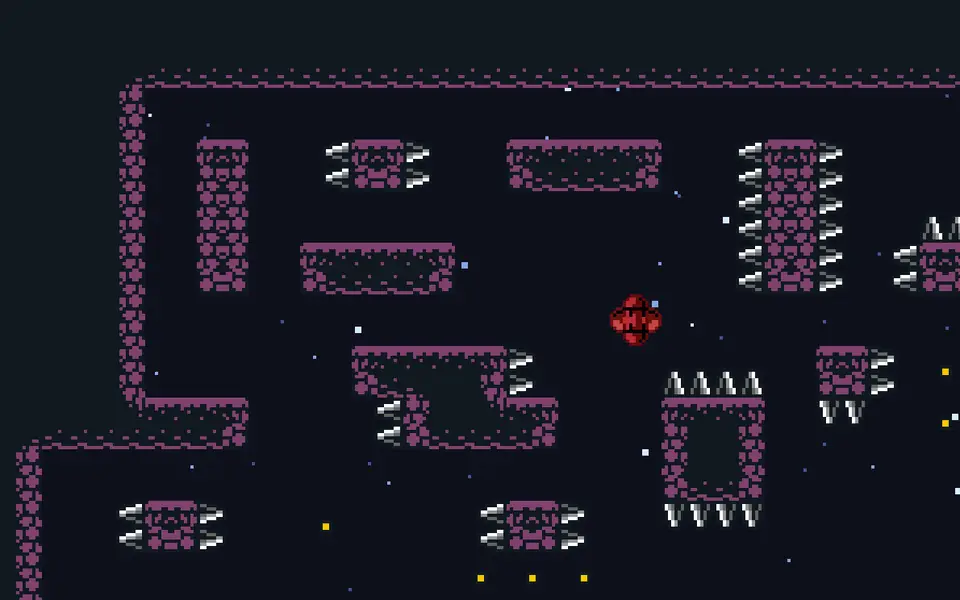
The hazards page→ separates the three things that can end a slide badly, spikes, blades and portals, and explains the timing difference between a static hazard and a cycling one.
How should you read a new stage?
The routine I use on every stage after the opening block:
- Count the dots. The counter at the bottom of the screen gives it to you directly. Two dots means a short route, twelve means the room is a loop.
- Find the crystal. It is usually on an edge. That tells you which direction the final slide has to travel.
- Look for the trapped dots. Any dot sitting against a spike or behind a blade is the constraint that defines the route; the free dots can be picked up on the way.
- Choose the axis. Sweep the long axis first if the room is a loop, the short axis first if the crystal sits in a corner pocket.
- Accept the restart. If the first push is wrong, restart immediately instead of trying to salvage it. Salvage attempts in this game cost more time than restarts.
What the mechanics do not do
A few things players expect and will not find:
- No mid-air control. You cannot nudge a slide to miss a spike. The route either misses it or you die.
- No health. One contact with a spike or blade ends the stage.
- No time pressure. Nothing in the game punishes slow thinking, so the correct play is to stop and plan.
- No stat tracking. The Steam version has no achievements, so there is no incentive to replay a stage beyond wanting a cleaner route.
Official source: Steam store page ↗ for the slide-until-wall, collect-every-dot and warp-crystal description; Nintendo eShop listing ↗ for the single-player mode and control modes.; the PlayStation Store listing ↗ for the PS5 release; ERMedia ↗ for the developer's release history.
FAQ
Can you stop mid-slide in Gravity Switch?
No. There is no brake input; a slide ends only when the character hits an object.
Do portals change your direction?
Our working rule from the screenshots is that a portal keeps your travel direction and only changes your position. Treat the exit as a continuation of the same slide.
What happens if you touch a spike?
The stage restarts instantly. You do not lose progress outside the current stage.
Do you need every dot to finish?
Yes. The warp crystal stays inactive while any dot is left in the room.
Is there a jump button?
No. The character only slides, and the only other input is the gravity/direction choice.